Why do YouTube titles change? Three things can do it: the creator edited the title, a Test & compare run is showing viewers up to three titles at once, or YouTube is showing you a translated title in your language. A fourth only looks like a change, when a small screen cuts the end off a long title.
If you're the creator, the questions run the other way: how to change a title once the video's out, and what a title test means for the thumbnail beside it. We read every YouTube page linked in this post on November 20, 2026, along with Search Engine Journal's report on title testing.
Why do YouTube titles change?
Where you noticed it says a lot. A title that's new for everyone was most likely edited. Two people reading two different titles on the same video at the same moment, in the same language, points to a test. A title in Spanish on an English-speaking channel is a translation, and one that stops mid-sentence on your phone is only being cut short.
- The creator edited it. The creator changed the title in YouTube Studio, and viewers get the new one from then on.
- A Test & compare run. The creator is testing up to 3 titles, and YouTube shows the versions to viewers at the same time until the test ends.
- A translation. The video has a title in another language, and YouTube matched that version to you.
- A title cut short. YouTube's Thumbnail & title tips page warns that viewers may only see part of a title, so a long one can read differently from one screen to the next.
An edit and a test both start with the creator. A translation is matched to you by YouTube, and a cut-off title isn't a change at all. If it's the picture beside the title that keeps moving, why a YouTube thumbnail keeps changing goes through the picture's own causes.
Two titles at once: a Test & compare run
Titles joined thumbnails in these tests in late 2025. A September 16, 2025 post on YouTube's blog, Transform your creative journey with the latest YouTube Studio updates, told creators "now you can test and compare up to three titles and thumbnails per video," and Search Engine Journal reported on December 4, 2025 that title testing was rolling out globally to all creators with access to advanced features. By YouTube's count on September 23, 2026, creators had run more than 40 million experiments on titles and thumbnails.
While a test runs, YouTube's help page on testing titles and thumbnails says all the versions, up to 3, are shown to viewers at the same time, and a small control group may see only the default title and thumbnail. So you and a friend can read two different titles on the same video, and neither of you is looking at a glitch.
The creator starts it
In YouTube Studio on a computer, the creator picks Title only or Title and thumbnail and adds up to 3 versions.
Viewers see different titles
All versions are shown at the same time, and a small control group may see only the default title.
The test finishes
A few days or up to two weeks, depending on impressions and the publish date.
One title for everyone
The version with the highest watch time is shown to all viewers. With no clear winner, the first title uploaded stays.
That's two changes from one test, and the creator can cause a third: the page says a title or thumbnail changed during the test stops it automatically. Shorts, scheduled live streams and Premieres can't be tested (a Premiere qualifies once it ends and becomes a long-form video), and neither can videos made for kids, for mature audiences or set to private. What to change between Test & compare thumbnails covers the picture side of the same tool.
A translated title is showing in your language
A title in a language you didn't expect is usually a translation. YouTube's Translate your own video titles & descriptions page says creators can add translated video titles and descriptions so fans can find their videos in their own language, and they do it in YouTube Studio under Subtitles. Localized thumbnails on YouTube covers those steps next to the per-language thumbnail.
Which version reaches you is YouTube's call. Its Check translated videos page says YouTube automatically matches a video's title, description and captions to viewer preferences, using signals that can include a viewer's language, location and recently watched videos, so the language you get may differ from your main language setting.
I've never changed my own titles after a video was out. The only change is translating them into other languages, if that counts as a change.
To a viewer it can look like one: same video, same thumbnail, a different line of words above it. If you'd rather see original titles, YouTube's Watch videos in your preferred language page says your preferred languages apply to translations of audio (dubs), titles and descriptions, and that content whose original audio is in one of them won't be translated. On a computer, that's your profile picture, Settings, Playback & Performance, then add or edit languages under Language. None of the YouTube pages we read describes a Studio switch that turns translated titles off for a whole channel.
How to tell which one you're seeing
I haven't seen a title change in my own feed. The clues are indirect, like two screens that disagree about one video, or a title in a language the channel doesn't speak.
| Cause | What you notice | Who sees it | How to check |
|---|---|---|---|
| The creator edited it | A new title in the video's own language | Everyone in that language | A private window shows the same new title |
| A Test & compare run | Two people see different titles at the same time | Viewers split between up to 3 versions | The creator sees it in YouTube Studio |
| A translation | A title in a language other than the channel's | Viewers matched to that language | Pick another language in a private window |
| A cut-off title | The end of a long title missing on a small screen | Anyone on that screen | Open the video to read it in full |
A creator can settle it in YouTube Studio. A viewer has one useful move from the Check translated videos page: open the watch page in a private window and pick another language from the menu to see how the title reads there.
How to change a YouTube title, and the character limit
For creators, a title is one field among a video's settings. YouTube's Edit video settings page lists the steps on a computer, and in the YouTube Studio app on a phone you tap Content, select the video, tap Edit, make the change and tap Save.
Sign in to Studio
Sign in to YouTube Studio on a computer with the channel that owns the video.
Select Content
From the left menu, select Content to see the channel's videos.
Open the video
Click the video's title or thumbnail to open its settings.
Edit and save
Type the new title, up to 100 characters, then select Save.
The same page says video titles have a character limit of 100 characters and cannot include invalid characters, and it gives descriptions 5,000. You'll rarely want all 100. YouTube's Thumbnail & title tips page says viewers may only see part of your title, so it suggests keeping it short, putting the most important words near the beginning and saving episode numbers and branding for the end.
100
Characters in a video title, at most
5,000
Characters in a video description, at most
Check for a test before you edit: the testing page says a title changed mid-run stops it, so a quick tidy-up means starting the test again.
Title or thumbnail: which one should you test?
Test & compare can test the title alone, the thumbnail alone, or both together. If you could test only one of them, which should it be?
The thumbnail, of course. People are more likely to look at the picture first. Sometimes you don't even need to look at the title to click a video.
YouTube's tips page treats the two as a team. Its examples show thumbnails and titles working together to create interest and tell a story, and it asks that a title accurately represents the video, because if it doesn't, viewers may stop watching, which can impact discoverability. That carries into a test, too: the testing page says YouTube optimizes tests for overall watch time over other metrics, like click-through rate.
So a new title can change what the picture has to back up. If the title you want to try promises something the current thumbnail doesn't show, test Title and thumbnail together and give each title its own picture. A title that only rewords the same promise can run on its own, with Title only, beside the thumbnail you already have. Either way, read each title next to its picture before the test starts, the way a viewer will meet them in the feed.
How to do this in WThumb
WThumb doesn't write titles or run tests. It comes in when a new title needs a thumbnail that makes the same promise.
- Settle the title first. Put the important words near the start, then decide which words, if any, the picture should carry.
- Add a reference in Recreate. Paste a YouTube link with "Link" or add an image with "Upload". The thumbnail you're replacing works as a reference too.
- Type the words and pick a persona. Write what should be printed in the Changes box, on a line of its own, like change the title to "HOW TO CAMP", or ask there for no text, then pick your persona or Faceless.
- Press Make. Each picture costs 1 credit (1 credit = 1 thumbnail). It's ready in about thirty seconds, a 2048 x 1152 Full HD+ JPEG.
- Read every letter. Generated letters can still come out wrong, a word misspelled or a digit missing. Press "Edit" under the picture to fix anything in plain words; each revision uses one credit.
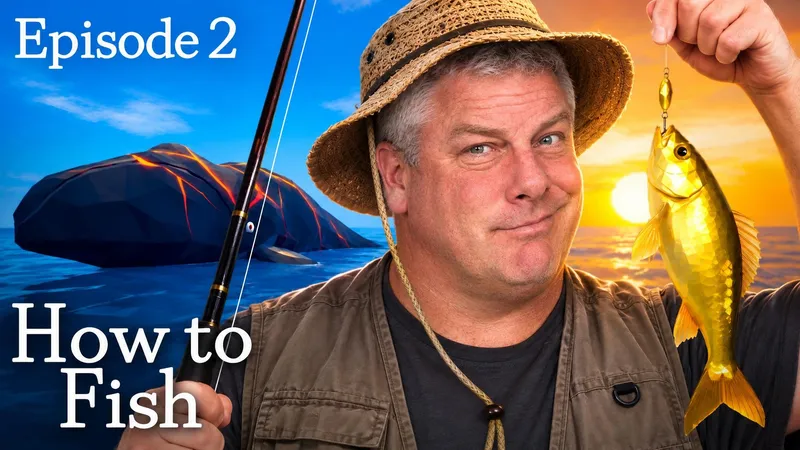
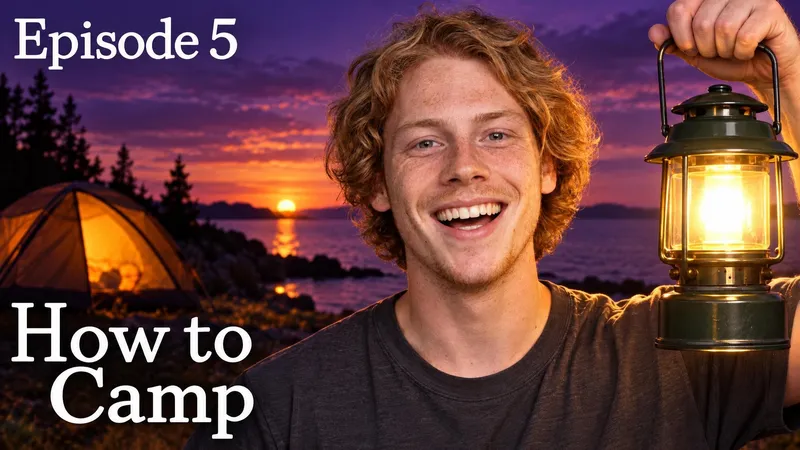
A picture for each title
In a Title and thumbnail test, each version is a title and a thumbnail together, so a title with a new promise can get a picture made for it. Make the first, change the words in the Changes box for the next title and press "Make". WThumb measures no clicks and can't tell you which title YouTube will favor; the test decides that, on watch time. New accounts get two free credits, no card needed.
A brief to paste
Say a camping video is retitled from a how-to to a story about a first night alone, with the camping design above uploaded as the reference:
- Change the title to "FIRST NIGHT ALONE"
- Keep the lantern and the purple sky, but make it full night.
- Put the tent further back and leave the camp empty around me so it feels lonely.