Edit
Fix a finished thumbnail with a sentence.
When a thumbnail from WThumb, an AI thumbnail maker for YouTube, is nearly right, the Edit button beneath it takes your correction as a sentence, such as a darker sky or bigger words, and redraws the picture with it. The result is saved as the next version, and the one it came from stays as well.
2 free credits (1 credit = 1 thumbnail), no card
How it works
From finished picture to new version.
Press Edit
In the Studio, press Edit under a finished thumbnail. A box opens under that picture, and Keep it as it is closes it without using anything.
Say what should change
Write the edit in up to 1,200 characters, such as a calmer background, a bigger face or different words on the picture. For something new, attach up to 4 images with the paperclip and type @ where each one should go.
Make the change
Press Make the change. The redrawn picture joins the results as the next version, and that newest version can be changed again.
A real change
From a sunset to a night scene.
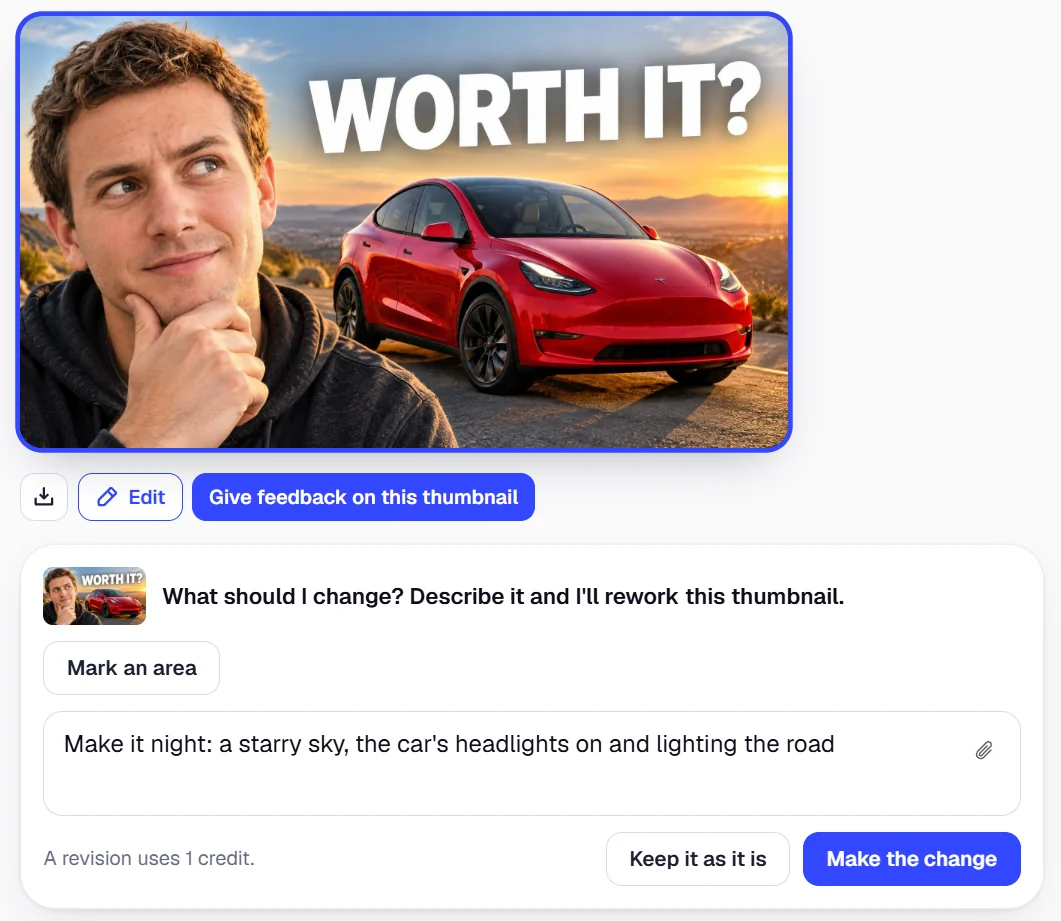
The thumbnail tagged Before was changed once, with these exact words: “Make it night: a starry sky, the car's headlights on and lighting the road”. The one tagged After is what came back: the sky, the light and the road turned to night while the man, the red car and the headline kept their places, and the change used 1 credit.
A change across the whole frame, like this one, is a job for words alone; Mark an area is meant for parts of the picture.
 Before · Sunset
 After · Night
What stays
What a change keeps, and what it redraws.
A change aims to leave alone everything you did not mention: the layout, the person and their face, the words and their lettering, the colors, the light and the frame. The whole picture is drawn again so the edit fits in naturally, which also means a words-only change holds no pixel fixed.
The frame is kept too, so a 16:9 thumbnail stays 16:9 and a 9:16 one stays 9:16. For a 9:16 version of a 16:9 design, press Make the Shorts version instead.
Mark an area
Change one part and keep the rest.
Mark an area is an option inside the same Edit box, for a fix that belongs to one part of the picture, and it starts switched off, so a change is made from your words alone unless you turn it on. Its two tools are Draw around, which traces an outline of the part, and Brush, which paints over it at a size you set.
Parts are told apart by color, and each carries a separate request: up to 6 parts in one change, with 1,200 characters shared between them. The marked parts are redrawn and the rest of the picture stays as it was, for the same 1 credit as a change in words.
Cover all of what should change, edges included, since WThumb restores whatever the model alters well away from your marks, and any change of tone that spills beyond them.
A thumbnail has to come from WThumb to be marked. The sunset thumbnail the night change started from was itself made by one marked change: the white car was drawn around with the words “Make the car glossy red”, and everything else came back as it was.

 Before · White carAfter · Red car
Cost and limits
What a change costs, and how many you get.
Every change uses 1 credit, as a new thumbnail does, and the line under the box says so before you press the button. A change that fails gives its credit back, and with no credits left Make the change stays off until you add some.
There is no cap on changes. Change the newest version again straight away, or come back to it days later from My thumbnails and carry on where you stopped.
Each change starts from the picture you pressed it under, older versions included. Only thumbnails made in WThumb can be changed: an image from elsewhere goes in as a reference, Recreate makes a new design from it, and that design can then be changed.

Make a thumbnail, then edit it.
Start in the Studio, and when a result needs a fix, say what should change.
Open the Studio2 free credits, no card