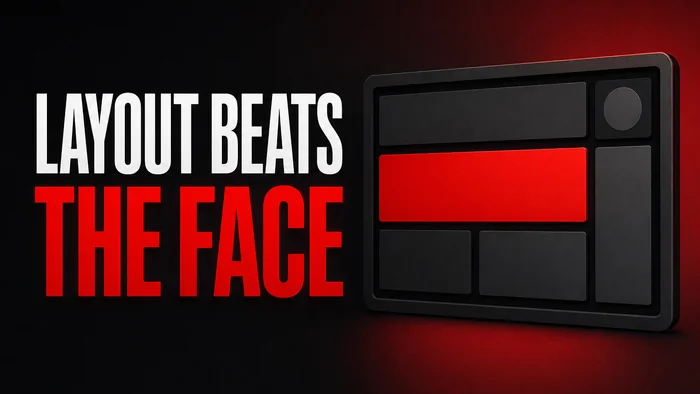
Most home renovation thumbnail ideas start with a before-and-after split, and at phone width a split gives the viewer two half-rooms, neither readable. The version that works shows the finished room, large, with one true number on it, and the before pushed into the title or a small corner inset. As of September 2026, YouTube's Thumbnails policy page lists as not allowed a thumbnail that misleads viewers to think they're about to view something that's not in the video, so the room in the picture has to be the room in the video.
This post covers why the split fails, what the number should be, six jobs and their images, you or the room as the subject, how to shoot the after, the sponsor question, and the WThumb brief.
Why the split is the default, and why it fails at phone width
This section explains where the split habit comes from and why it stops working at the size most viewers see. The split is the default because it tells the story in one frame: this was the room, this is the room now. Template libraries file it under Before and After, search returns it by the row, and it asks for no decision. A layout nobody decided on looks like everybody's.
At phone width each half gets half of a small rectangle. The before is dim and cluttered, which is exactly what makes it hard to read small, and the after loses half its width to it. Add a divider, two labels and a number, and nothing in the frame is large. As of September 2026, YouTube's Thumbnail & title tips page says dynamic use of color and composition can help catch the eye, but too much can overwhelm it. A split with two labels is the renovation version of too much.
The mechanics of a split that does work belong to before-and-after splits in YouTube thumbnail mistakes, so this post does not repeat them. It takes the other route: the whole frame to one room, and the title or a small inset carrying the before.
The finished room plus one true number
This section is the core idea: the after fills the frame and the words are one number the video can prove. A finished room with $4,200 across the bottom is a claim, and a claim is what a viewer clicks to check. Three kinds of number work: cost ($4,200 or $800), time (12 DAYS or 1 WEEKEND) and size (90 SQ FT or 3 ROOMS). One of them, not all three, because a headline has one figure.
The number must be true and in the video. If the build cost $4,200 before the tools you already owned, say $4,200 and settle the tool question on camera. Showing the finished room gives away the ending, which is fine: the ending is the reason to watch the middle. The general case is in should a YouTube thumbnail spoil the result.
When the number is not impressive
A $9,000 bathroom is not a story at a glance, and 4 MONTHS reads as slow. Swap the number for the constraint. NO CONTRACTOR says you did it yourself. RENTAL says you did it without permission to move a wall. Either says what kind of renovation this is before the title is read.
A brief to paste
- Words. $4,200 on one line. Or NO CONTRACTOR on two lines if the constraint is the story.
- Instructions. the finished living room fills the frame in daylight, the number large in the lower third, nothing else on the image.
Six renovation jobs and the image for each
This section sorts renovation videos into six jobs and names the one image each should show. The before and after is also one of the YouTube thumbnail ideas by format, with the same rule: the after is the bigger half.
- The full-room reveal. The after, corner to corner, the number as the only text. As of September 2026, YouTube's tips for YouTube success on TV post, from November 2024, says to think of your thumbnails as movie posters, because on TV screens they're supersized, front and center. A wide, clean room is a poster.
- The budget build. The cost is the subject, so the cost is the biggest thing in the frame: $800 in heavy capitals, the room behind it. If one product carried the build (the peel-and-stick tile), it is in your hand.
- The disaster fix. Show the fix, not the collapse: the repaired ceiling with FIXED on it beats the hole. As of September 2026, YouTube's Advertiser-friendly content guidelines page lists content that mainly shows accidents, vigilantism, pranks, or dangerous acts, such as experiments or stunts that have health risks, as content that gets no ad earnings. That is about what a video mainly shows, not its thumbnail, and a burst pipe is not a stunt. The better reason to lead with the fix: the hole is the setup, the repair is the payoff, and the damage goes in the title.
- The single-item upgrade. The door, the floor, the countertop: one object, tight, the finish visible. The before of one item is small enough to work as a corner inset.
- The time-lapse. The finished room with the time as the number, 12 DAYS or 30 HOURS. A time-lapse sells compression, so the words say how much was compressed.
- The tour. You in the doorway, arm out, the room past you: a tour is about a host. FINAL TOUR or WE'RE DONE, and no number.
Your face or the doorway
This section decides who the subject is: you, or the room. If the video is about a person doing something, the person is the subject. If it is about a result, the result is.
When you are the subject
Three renovation formats put the creator first. The couple: two of you in the doorway of the finished room, one grinning, one wincing, the number between you. The solo DIYer: you in the doorway with the tool that did the job in hand, the room past your shoulder. The reaction: your face in a lower corner, the reveal behind, IT'S DONE. In all three the face is at least a third of the height; the room is background.
When the room is the subject
The wide reveal, the single-item upgrade and the budget build are about the result, and a face in front of the result hides it. Give the room the frame. If the before must be on the image, ask for a small inset, bottom left, a quarter of the height. The same choice runs through real estate YouTube thumbnail ideas: the agent or the house, never both at the same size.
Faceless is the room-as-subject version: skip the personal photo in WThumb and any person in the reference is removed and the space filled in the same style. Nobody else's face is ever put in.
A brief to paste
- Words. IT'S DONE on one line.
- Instructions. me in the doorway on the left, a third of the height, the finished kitchen past my shoulder in daylight, the words top right, no before inset.
The photo: shoot the finished room like a listing
This section is the ten minutes that decide the thumbnail: the photograph of the finished room, shot as a still the way a listing photographer would, not grabbed from the reveal footage.
- Daylight. Open the blinds and turn off the overheads; mixed light turns one wall orange and the other blue.
- Corner to corner. Stand in the doorway or the far corner and get two walls in; one wall is a paint swatch.
- Tidy. Remove the drop cloth, the drill and the box the light came in; clutter reads as unfinished.
- Phone at chest height. Not eye level, not the floor; chest height keeps the verticals straight.
- Ten frames, not one. As of September 2026, YouTube's Thumbnail & title tips page suggests taking pictures during your shoot so you have several options for thumbnails when you upload your video. Shoot the wide, the door and the detail, with and without you in the doorway.
Keep your own before
The day-one shot is the inset. Take it from the same doorway at the same height so the small version reads as the same room, and keep it as a photo, because a video frame is soft at any size.
The rendered after is the misleading line
Do not use a rendering or a generated room as the after. As of September 2026, YouTube's Thumbnails policy page lists as not allowed a thumbnail that misleads viewers to think they're about to view something that's not in the video, and a room that exists only in the thumbnail is exactly that. The real photo is also the better one: the outlet cover and the uneven grout are what a viewer trusts.
Sponsors, tools and a series look
This section covers the sponsored tool and the tenth thumbnail that has to look like the first nine.
The sponsor is a setting, not a sticker
As of September 2026, YouTube's branded content disclosure page says that if you feature branded content, sponsorships, endorsements, or other commercial relationships in your videos, you have to let YouTube know by selecting the paid promotion button in your video details, and that the button adds a disclosure label at the start of the video. The page does not mention the thumbnail: the disclosure lives on the video, so the image needs no logo, badge or SPONSORED for YouTube's sake, and a logo on a renovation thumbnail reads as an ad. If the sponsor's tool did the job, it can be in your hand in the doorway shot, as an object.
A series that reads as one channel
A whole-house renovation is a vlog with a deadline, and the choices in vlog thumbnail ideas apply: the same kind of subject, the same kind of number, the same weight of type. In WThumb, paste the kitchen episode's link as the reference for the bathroom, swap the room photo and the number, and keep the instruction line word for word, with the fixed things in it (you in the doorway on the left, heavy capitals, the cost as the number). The reference is a brief, not a template, so the bathroom is not the kitchen with a new photo; the set reads as one channel through subject, number and weight, not through identical frames. The room name goes in the title: the image says $1,900, the title says bathroom.
How to do this in WThumb
This section is the run, photo to file.
- Set the reference. Paste the link of a renovation video whose thumbnail is a single wide shot, or upload your own after photo as the reference. Attach the after as @1 and the before as @2 so the instruction line can point at them. The reference is a brief, not a template: the idea carries over, the design is new.
- Type the number as the words. Up to three lines are allowed; use one. $4,200, or NO CONTRACTOR on two lines.
- Write one instruction line. the room from @1 fills the frame, the number large in the lower third, the before from @2 small, bottom left, a quarter of the height.
- Add your photo, or leave it out. With a personal photo you are placed in the design. Without one the thumbnail is faceless.
- Pick format and count. 16:9, 9:16 for the Short that teases the reveal, or both from one brief; one design or two.
- Wait about thirty seconds. A Full HD+ JPEG comes back. As of September 2026, YouTube's Add custom thumbnails page names 3840 by 2160 pixels for videos and a minimum width of 640 pixels; the file sits between the two, and YouTube re-encodes every upload anyway.
Revise it if the inset came back too large
If the before came back a third of the frame instead of a quarter, the pencil on the thumbnail takes one sentence: make the before inset smaller. One new version, one credit (1 credit = 1 thumbnail), and you can revise it again. Since new accounts get two free credits, no card needed, the first reveal and its correction cost nothing.
Show the finished room and one true number. The before belongs in the title or in a corner, not in half the frame.